Choose Which Browser Opens Links
Choose whether links in the chat open in the Blaze browser or in the browser you normally use.
1. Browser choices
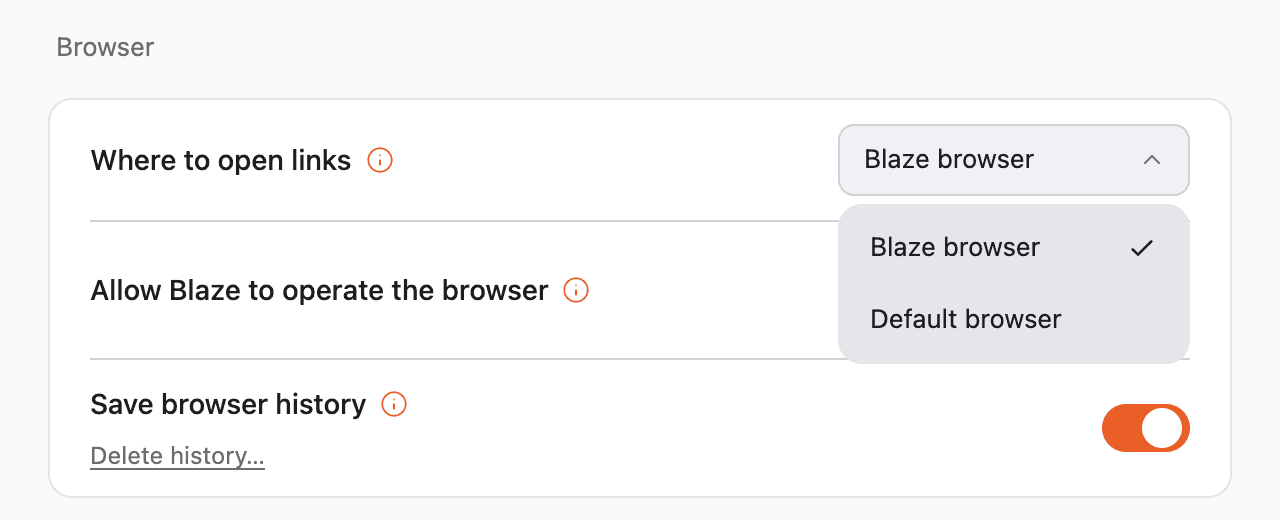
- Blaze browser: Opens the link in a new tab of Blaze’s in-app browser. This is selected by default.
- Default browser: Opens the link in your computer’s default browser.
If the in-app browser is showing an empty tab, the link opens in that tab.
2. Switching browsers
Open Settings → General from your profile at the bottom left, then switch it under “Where to open links” in the “Browser” section.
3. Opening one link in the other browser
Hold the Command key on Mac, or the Ctrl key on Windows, and click a link to open it in the browser you have not selected in Settings.
For example, if “Blaze browser” is selected, Command-clicking a link opens it in your default browser.
4. FAQ
Q. “Blaze browser” is selected, but some links still open in the default browser
The in-app browser only opens links that start with http or https. Other links, such as email addresses, open in your default browser or mail app regardless of this setting.
Q. Does this apply to links outside the chat?
Yes. It also applies to links shown in the file viewer and in previews under Settings “Library”.