Copy a thread
Carry a conversation over to a new thread and continue working there. You can copy the whole conversation or carry over a summary of its key points. The original thread remains available.
Choose how to copy the thread
| Copy method | What it carries over and when to use it |
|---|---|
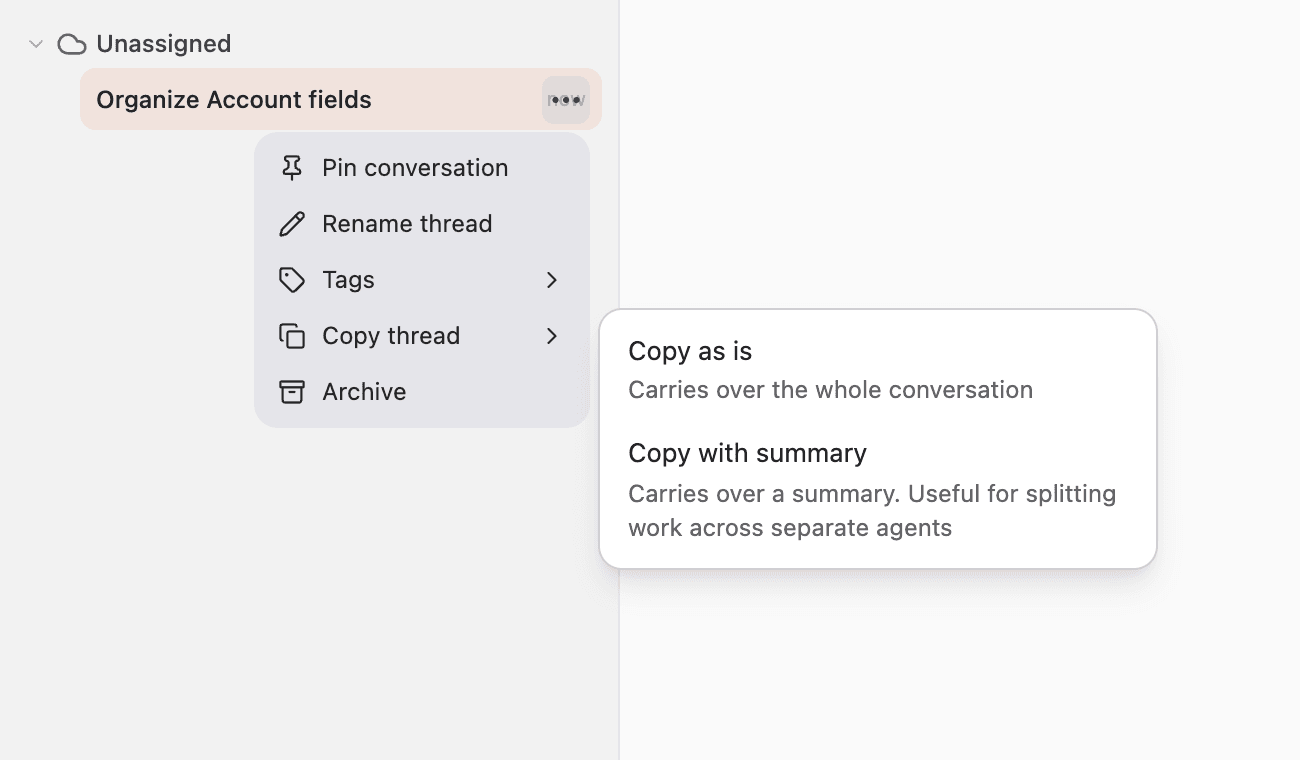
| Copy as is | Carries over the whole conversation. Use it to keep the earlier exchanges and continue in a separate thread. |
| Copy with summary | Carries over the key points of the conversation. Use it to split work across separate agents. |
Hover over the thread in the sidebar and click the three-dot menu on its right.
Open “Copy thread”, then choose “Copy as is” or “Copy with summary”.
Continue with a copy of the whole conversation
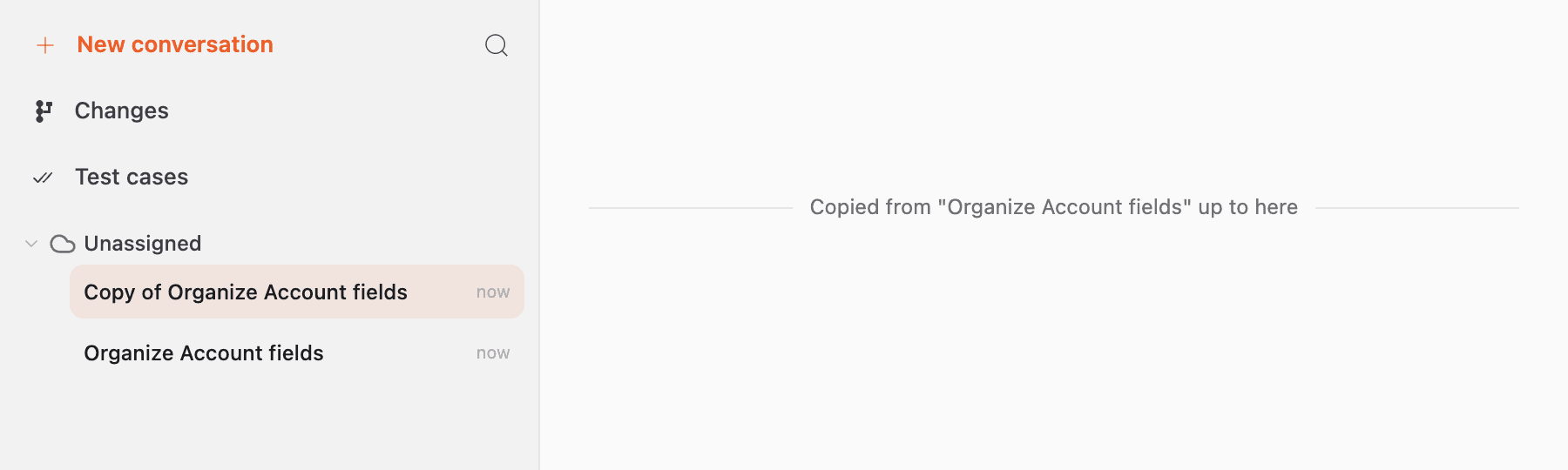
When you select “Copy as is”, the copied thread opens. Its name is “Copy of” followed by the original thread name.
A divider labeled “Copied from” followed by the original thread name and “up to here” marks the end of the copied conversation. Review the earlier exchanges and send a new message to continue.
Open a thread copied with a summary
When you select “Copy with summary”, summarizing starts while the current thread stays open. The conversation list shows the copied thread name and “Summarizing”.
When it finishes, a “Copied with summary” notification appears. Click “Open” in the notification to go to the copied thread. You can also open it from the conversation list.

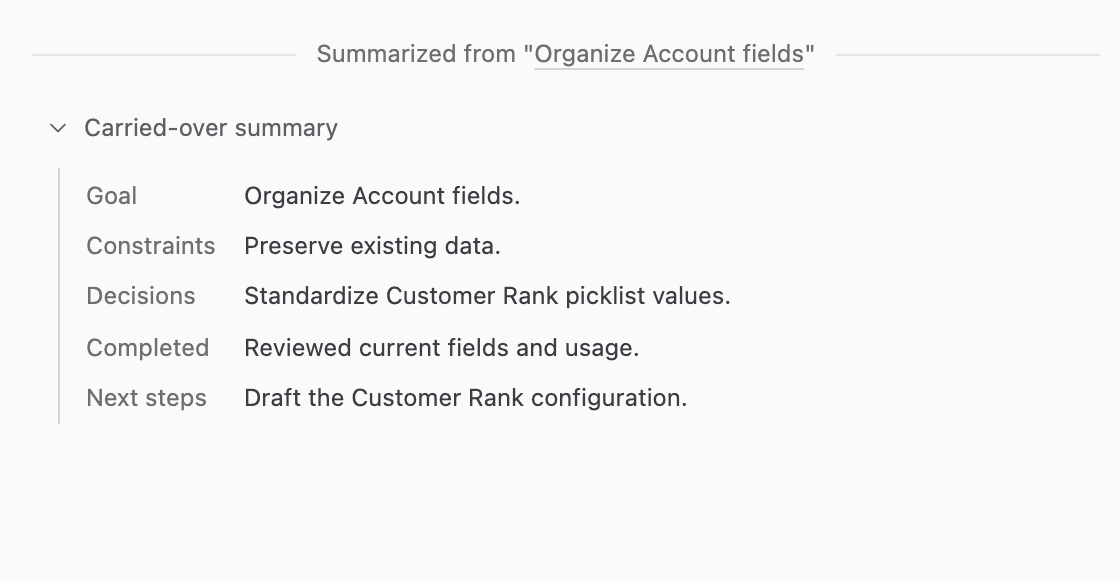
Click “Carried-over summary” in the copied thread to review the summary.
After reviewing it, send a message describing the next task. Click the original thread name to return to the original conversation.
To stop summarizing, click the notification’s close button. If summarizing fails, click “Try again” in the notification to try again.