Renaming a Thread
Threads (conversations) in the sidebar are automatically named based on your first message. You can rename them to something more meaningful at any time.
1. Hover over the thread you want to rename
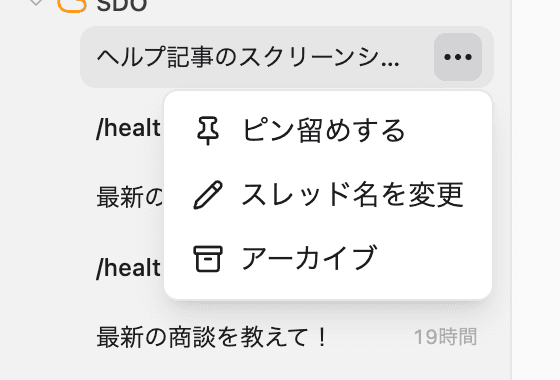
Hover over a thread in the sidebar to reveal the ”…” button on the right. Click it.
2. Select “Rename thread”
Click “Rename thread” from the menu that appears.
3. Enter a new name
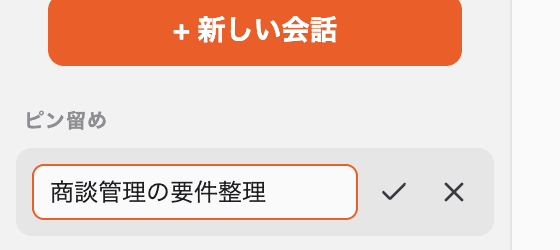
The thread title becomes editable, with the existing text pre-selected so you can simply type the new name.
4. Save
Click the checkmark (✓) button next to the field, or press Enter, to save. To cancel, click the X button or press Esc.
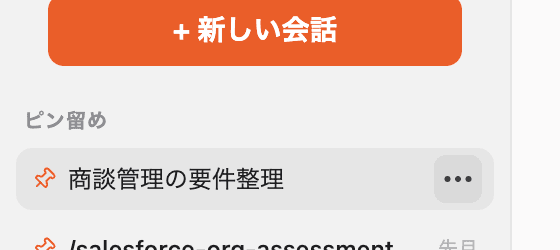
The sidebar updates to show the new name immediately.