Archiving and Deleting a Thread
You can clean up threads (conversations) you no longer need in two steps: archive to hide them from the sidebar, and delete to remove them permanently.
1. Archive a thread
Hover over a thread in the sidebar, click the ”…” button on the right, and select “Archive”.
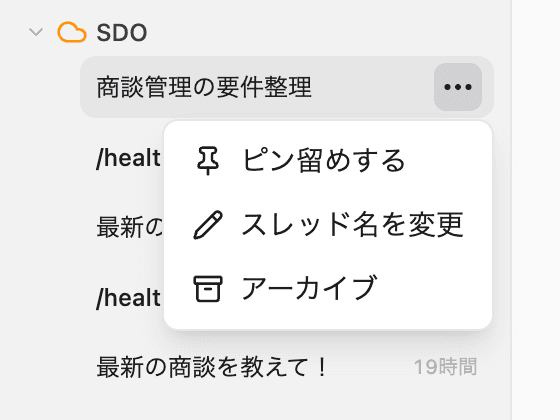
Archived threads disappear from the sidebar, but their content is not deleted — you can restore them or delete them permanently later.
2. View archived threads
Open archived threads from the profile button in the bottom-left corner: Settings → Archive.
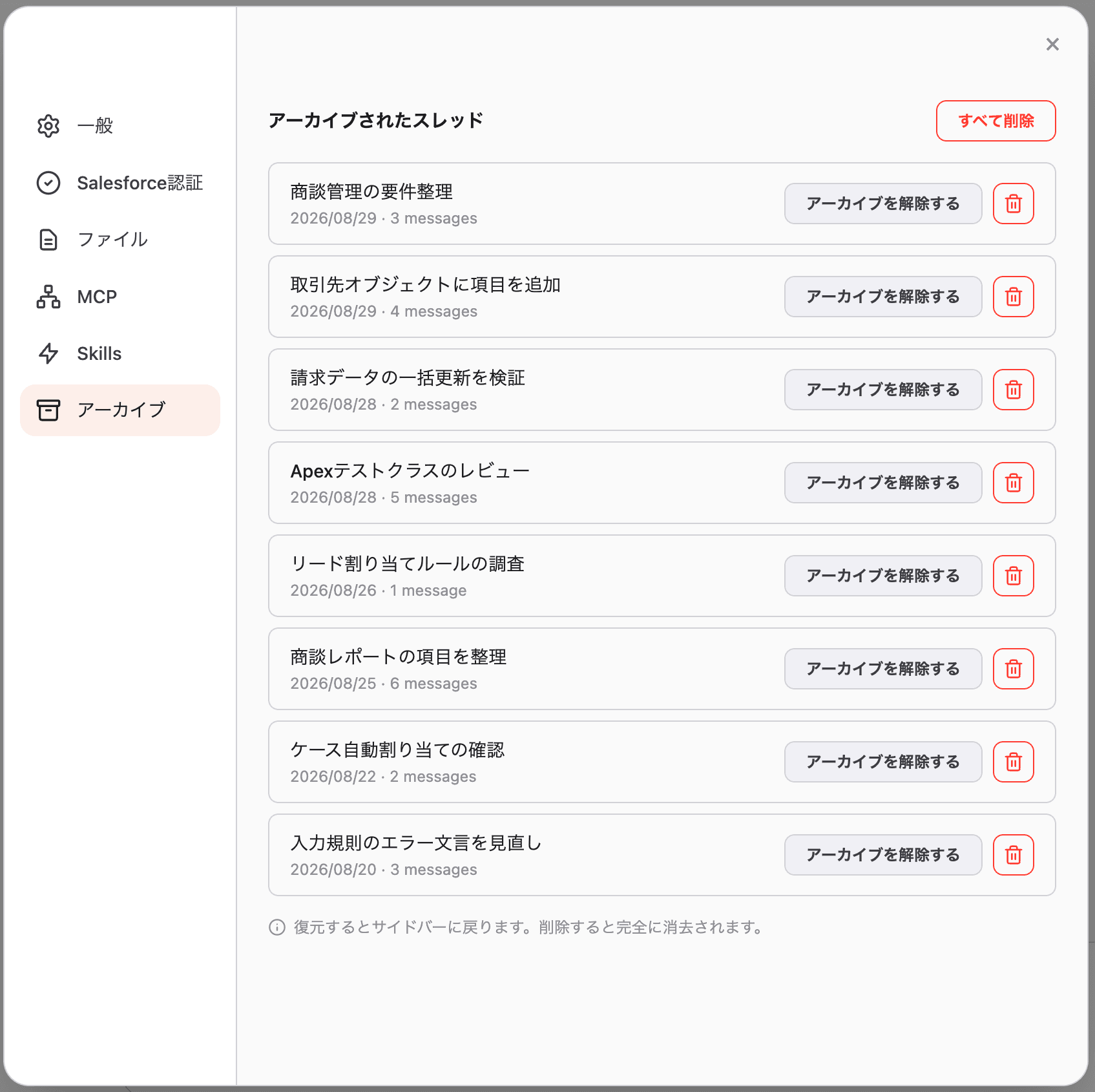
- “Unarchive”: restores the thread to the sidebar
- Trash icon: permanently deletes the thread
- “Delete All”: permanently deletes every archived thread at once
3. Delete permanently
Clicking the trash icon shows a confirmation dialog.
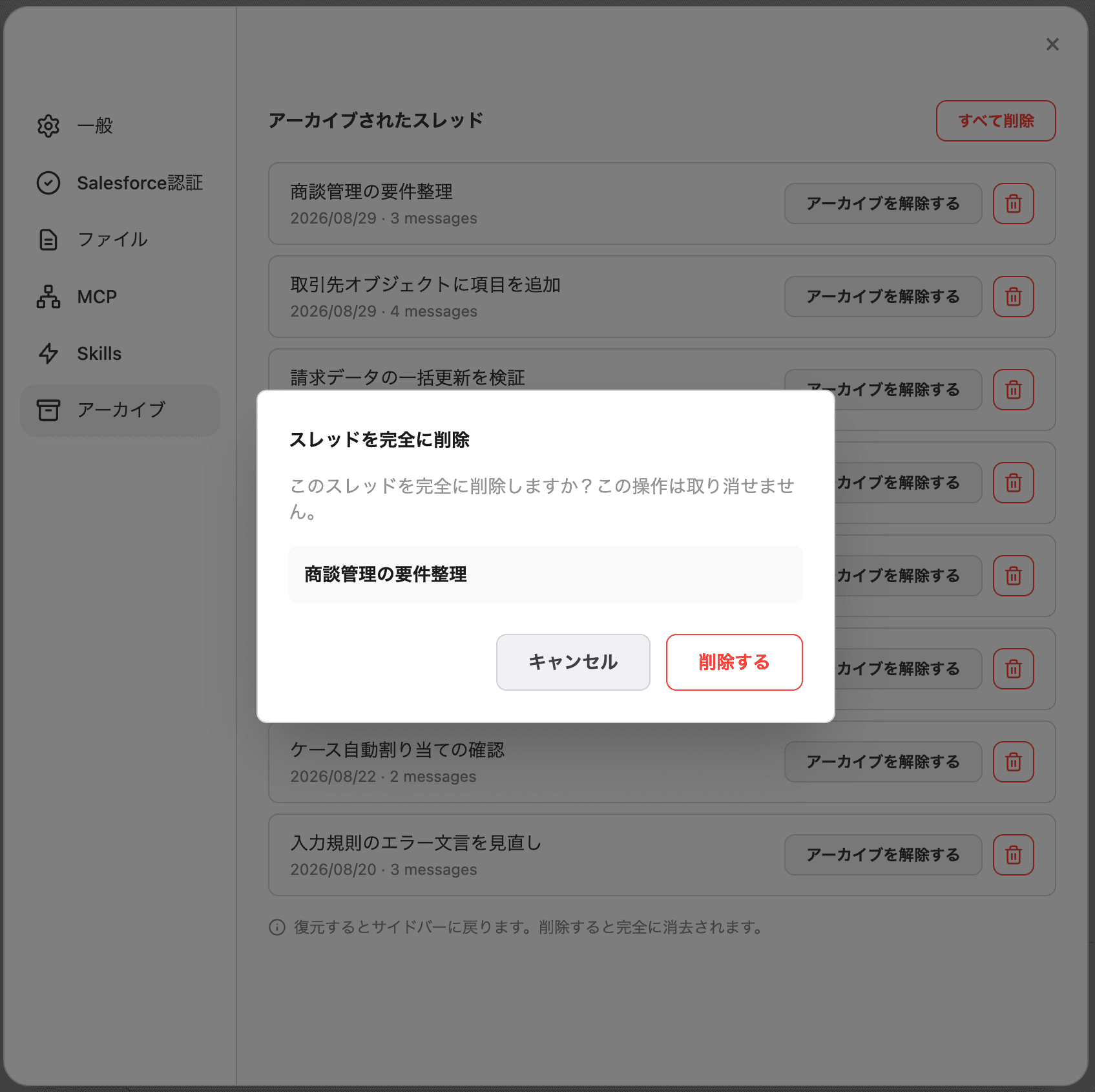
Review the thread name and click “Delete” to permanently remove it. This action cannot be undone.
The deleted thread disappears from the list and cannot be restored.
Summary
| Action | Sidebar | Content | Reversible |
|---|---|---|---|
| Archive | Hidden | Kept (visible under Settings → Archive) | Yes (unarchive) |
| Delete | Hidden | Permanently removed | No |
Use Archive if you might need the thread again later, and Delete if you’re sure you won’t.
For details on the Archive tab in Settings, see Archive (Settings).