Model & environment settings
On the “Environment Settings” screen in the sidebar, set your organization’s model policy.
This screen is available to admins only.
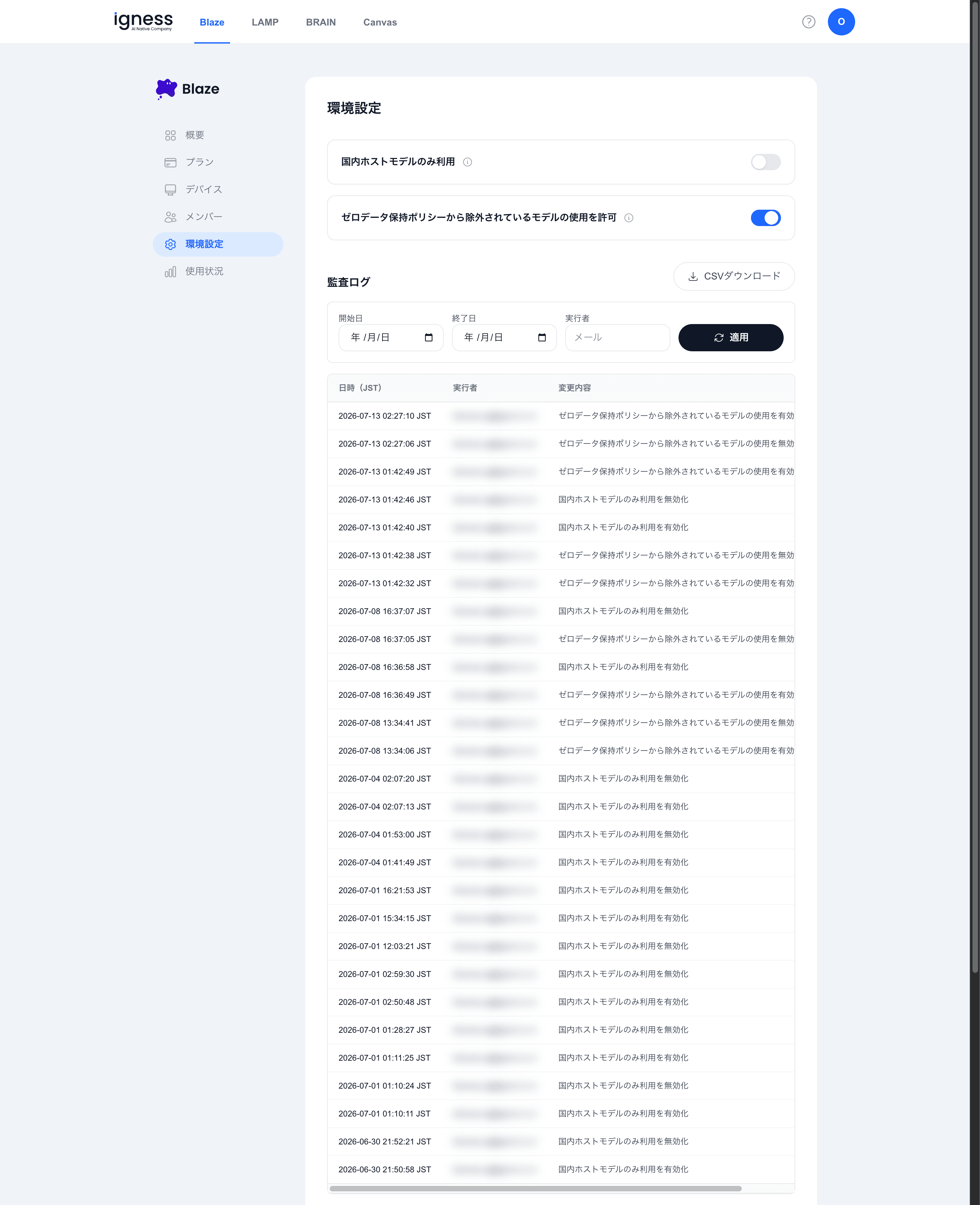
Model Usage Settings
Two toggles control which models are used.
| Toggle | Description |
|---|---|
| Use domestically hosted models only | When enabled, only domestically hosted models are used |
| Allow use of models excluded from the zero-data-retention policy | When enabled, members of your organization can also use models that are not covered by the zero-data-retention policy |
Audit Log
Review the history of setting changes. Use the “Download CSV” button to export the history.
Specify “Start date,” “End date,” and “Actor (email),” then click “Apply” to filter the history.
The table shows the following columns.
| Column | Description |
|---|---|
| Date/time (JST) | When the change was made |
| Actor | The user who made the change |
| Change | What was changed |