Set up your profile
Open “Personal settings” from the account icon menu in the top right.
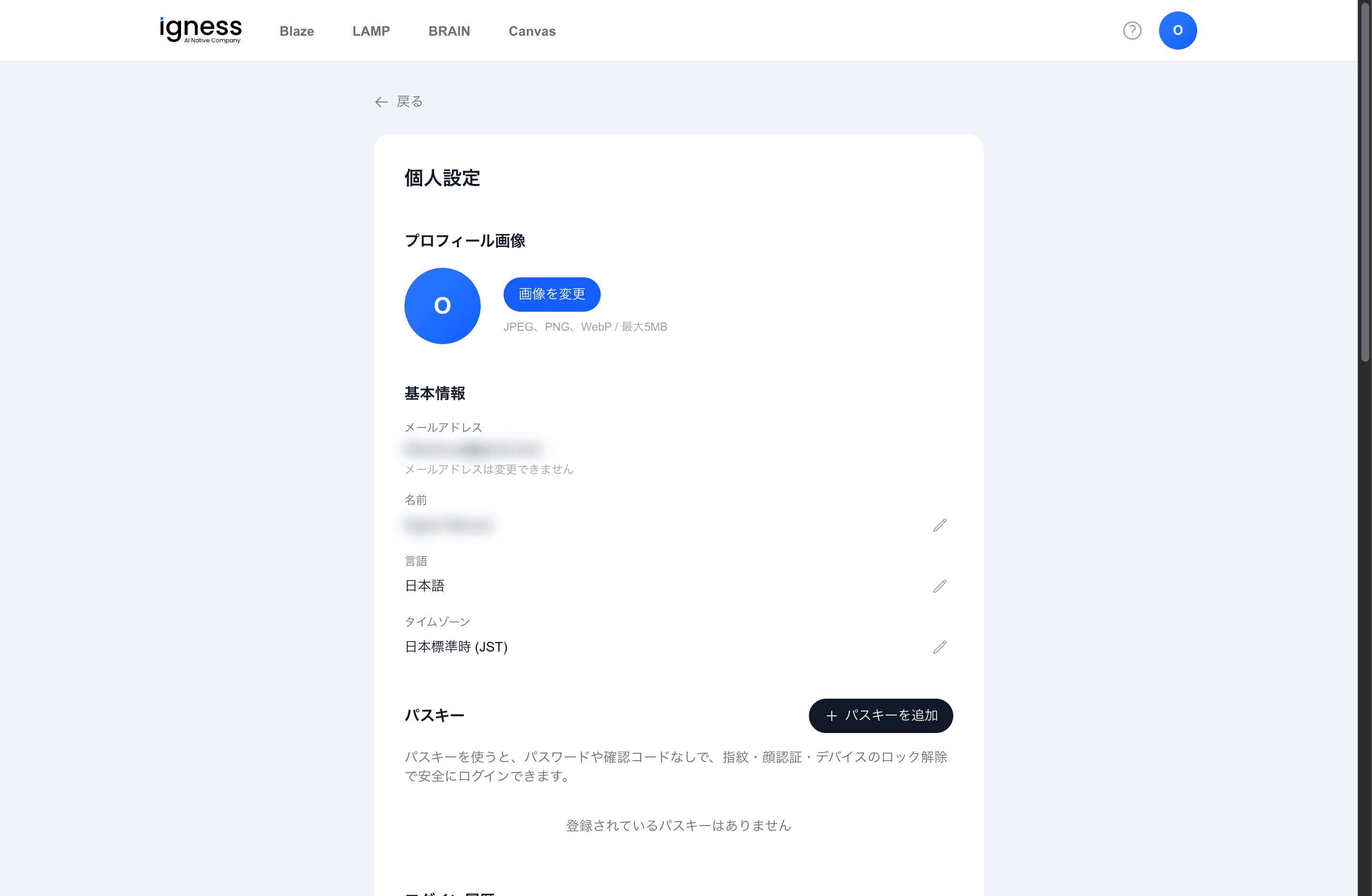
Profile picture
Use the “Change image” button to set your profile picture.
- Supported formats: JPEG / PNG / WebP
- Maximum size: 5MB
Basic information
| Item | Description |
|---|---|
| Email address | Shows your registered email address |
| Name | Edit it with the pencil icon |
| Language | Switch between 日本語 and English |
| Timezone | e.g. Japan Standard Time (JST). Editable |
Your email address cannot be changed.
Passkeys
In the “Passkeys” section at the bottom of the screen, use “Add passkey” to register a passwordless login.