v0.3.2 : Update notes (2026/03/05)
Thank you for using Blaze!
1. Skills support
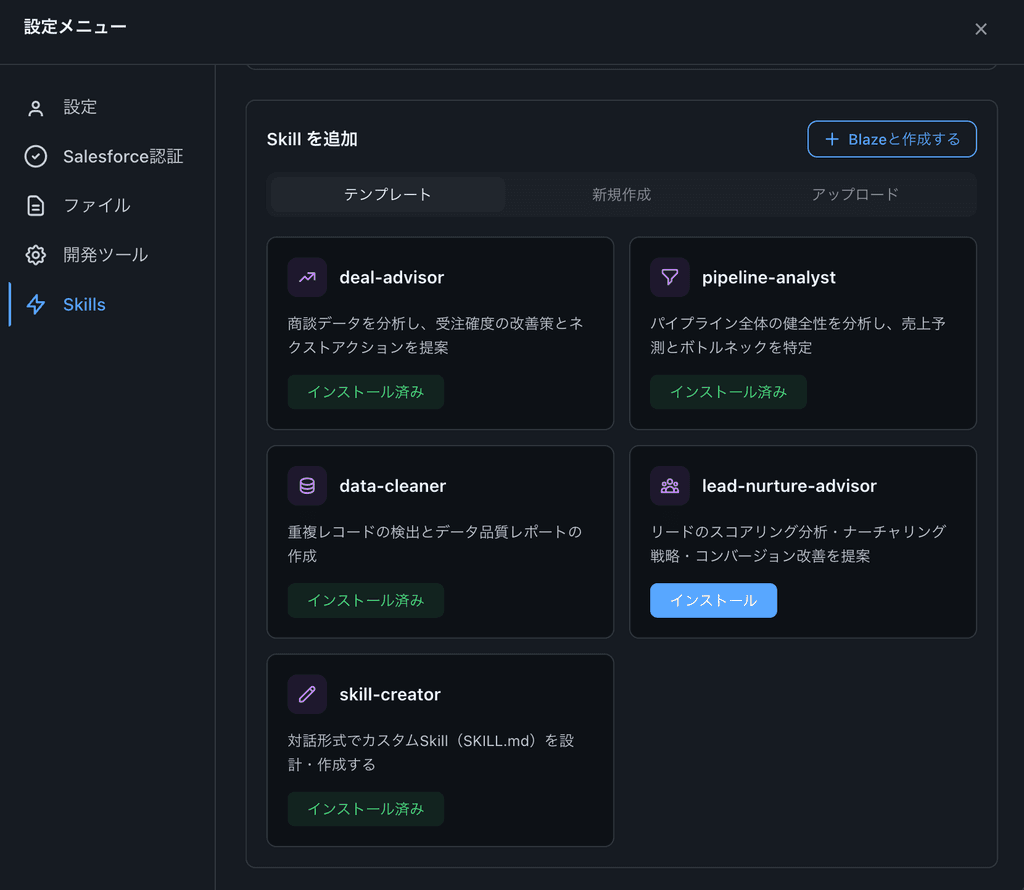
We introduced a Skills system in Blaze. A Skill is a reusable package of prompts and configuration for automating a specific business task.
You can use Skills from the “Skills” tab in the Blaze app’s settings screen.
Settings:
-
Templates: start instantly with preset Skills geared toward CRM/SFA tasks
-
Upload: add a Skill by uploading a Zip file
-
“Create with Blaze” button: build a custom Skill conversationally with the AI
How to use:
From the “Skills” tab in the Settings modal, you can list, add, and enable/disable Skills. In the chat screen, type / to invoke a Skill.
2. Error reporting
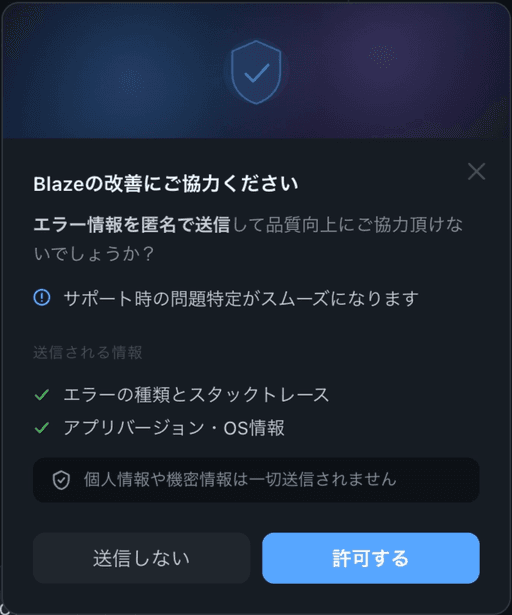
To improve product quality, we added an automatic error collection and analysis foundation.
Key points:
-
Fully opt-in
-
Errors are sent only if you explicitly approve in the consent card in settings
-
Privacy protection:
-
Sensitive data such as usernames, SF org names, API keys, and SOQL queries is automatically removed before sending
3. Operational improvements
-
Improved message output processing.
-
Improved the reliability of installers for software dependencies.