v0.3.4 : Update notes (2026/03/11)
💡 Thank you for using Blaze!
1. Run and test Agentforce inside Blaze
A new preview feature lets you test Agentforce agents directly inside Blaze.
When you open an Agentforce metadata file (.agent, .bot-meta.xml, etc.), three tabs appear: Code / Preview / Log.
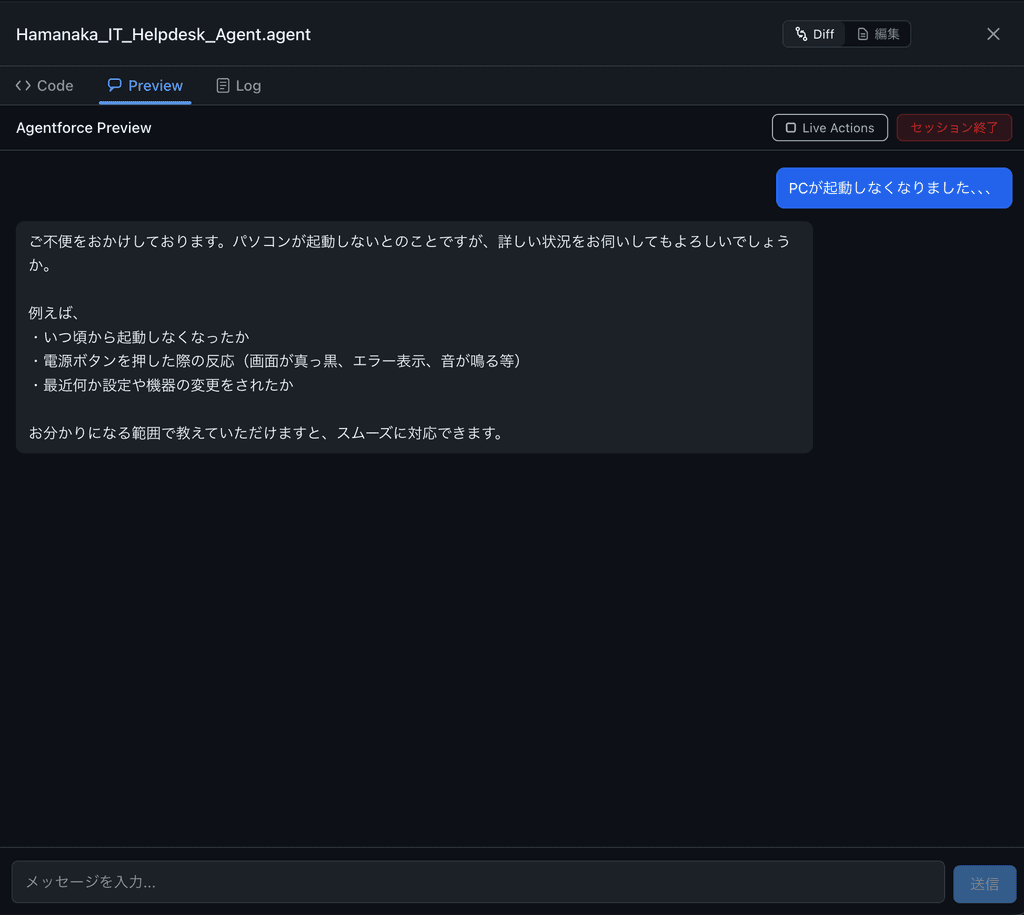
Preview tab
-
Talk to the agent in chat form to verify behavior
-
The session starts automatically when you open the tab
-
After the session ends, the trace log location is shown and the “Reveal in Finder” button takes you straight there
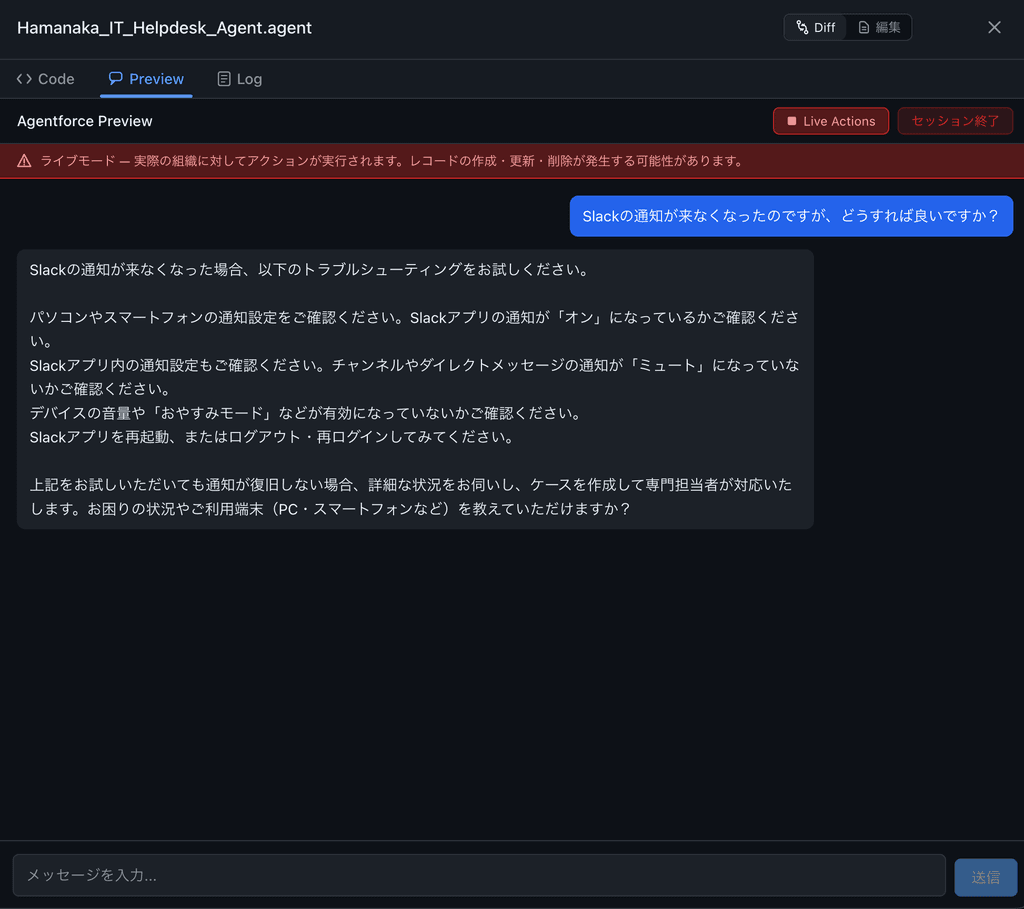
Live Actions
-
Turning Live Actions on lets the agent execute actions (Apex, flows, API calls) against your real Salesforce org
-
A confirmation dialog appears when enabling, to prevent unintended changes
-
When off, the agent only proposes actions (no org changes)
💡 Note: when using Live Actions, you must set Default User on the Salesforce side and reference that user in
default_agent_userof your.agentfile.
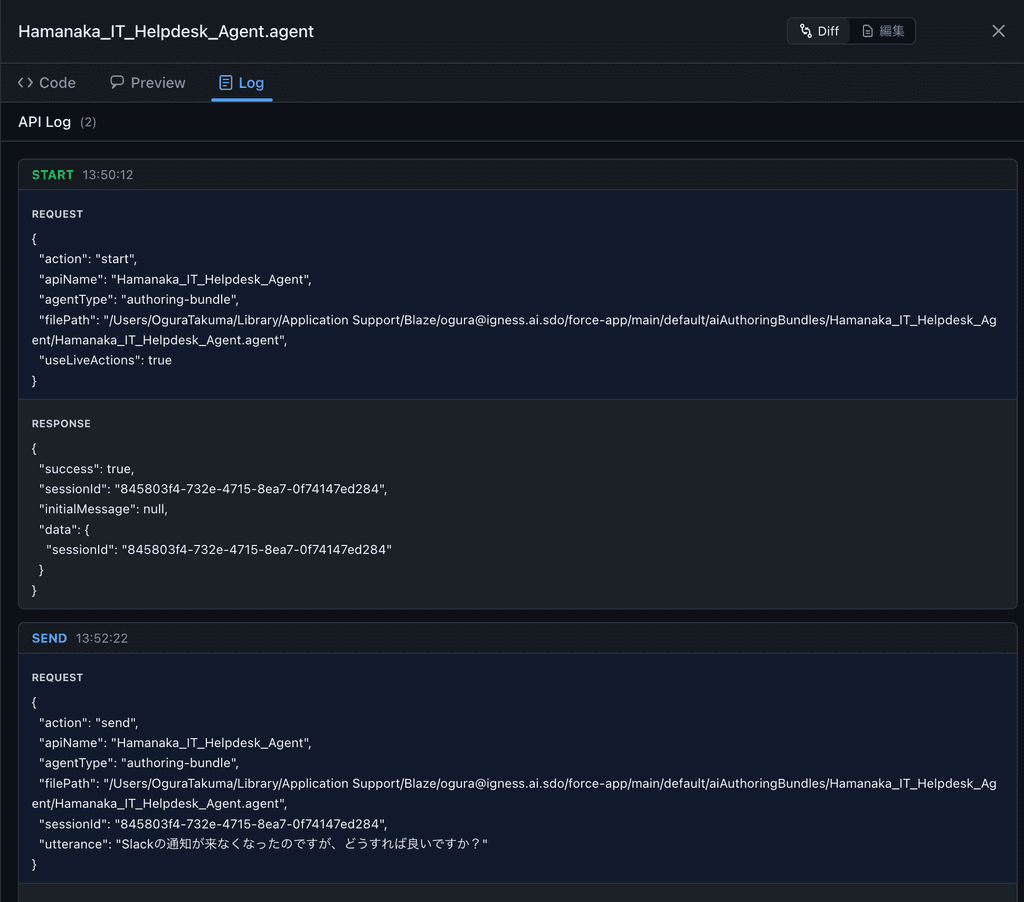
Log tab
-
API call history is shown split into Request / Response
-
Each log records the action type (start / send / end) and a timestamp
2. Diff viewer improvements
We improved how Blaze shows file edits.
-
Accurate line numbers: Edit operation diffs now show the actual file line numbers, so the position of the change is obvious at a glance
-
Diff ↔ Edit toggle: Cmd+Shift+D (Windows: Ctrl+Shift+D) quickly toggles between diff and full-file edit
3. Bug fixes
Fixed an issue where credentials weren’t passed to the MCP server when using Blazer 1.