Purchase Blaze
Here’s how to buy licenses from the Free plan. You purchase from the “Plan” screen in the Blaze account portal.
Only administrators can make a purchase.
-
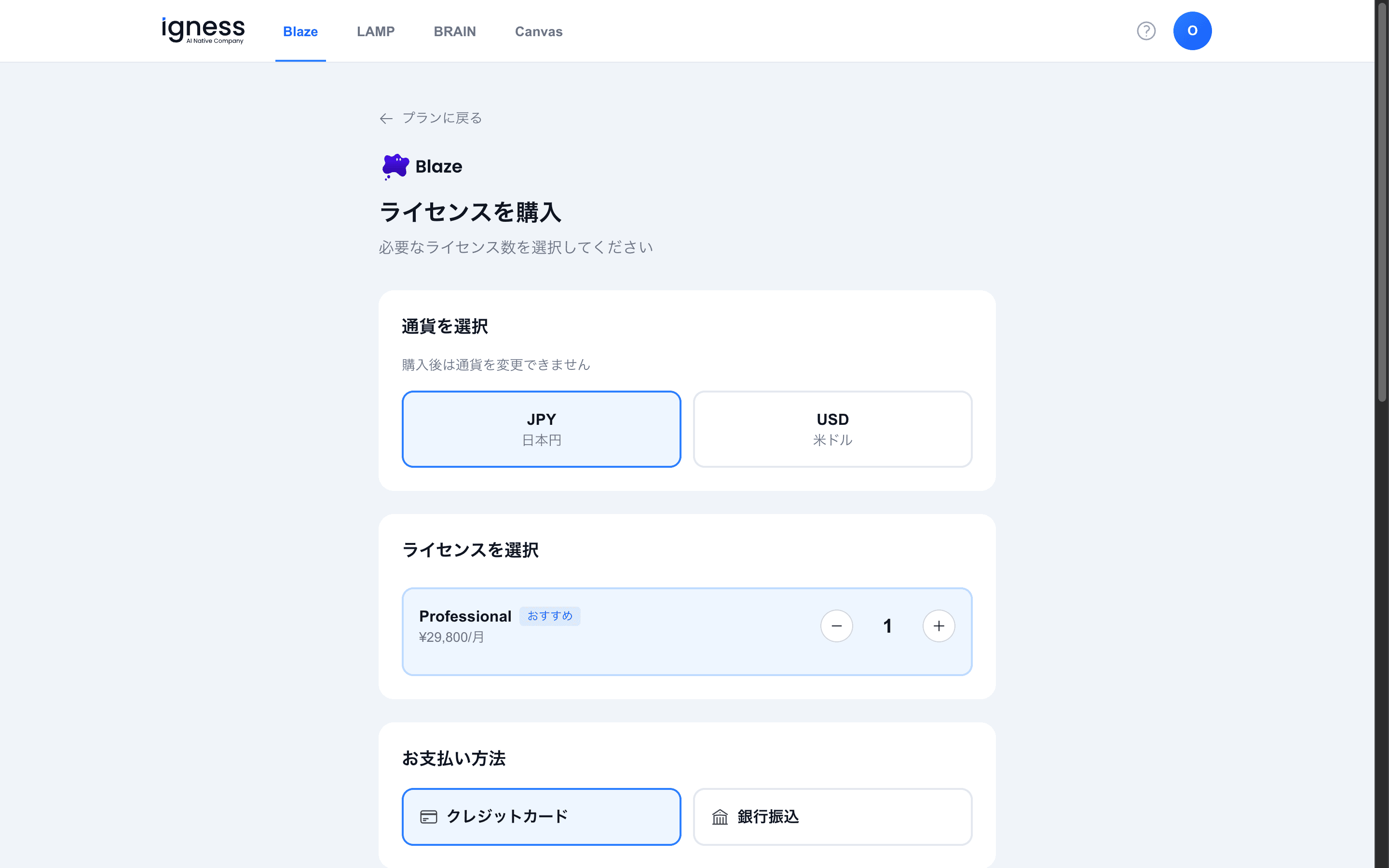
Select a currency (JPY or USD). You can’t change the currency after purchase.
-
Select licenses (Professional, ¥29,800/month). Use ”+” and ”−” to adjust the quantity.
-
Choose a payment method (credit card or bank transfer).
-
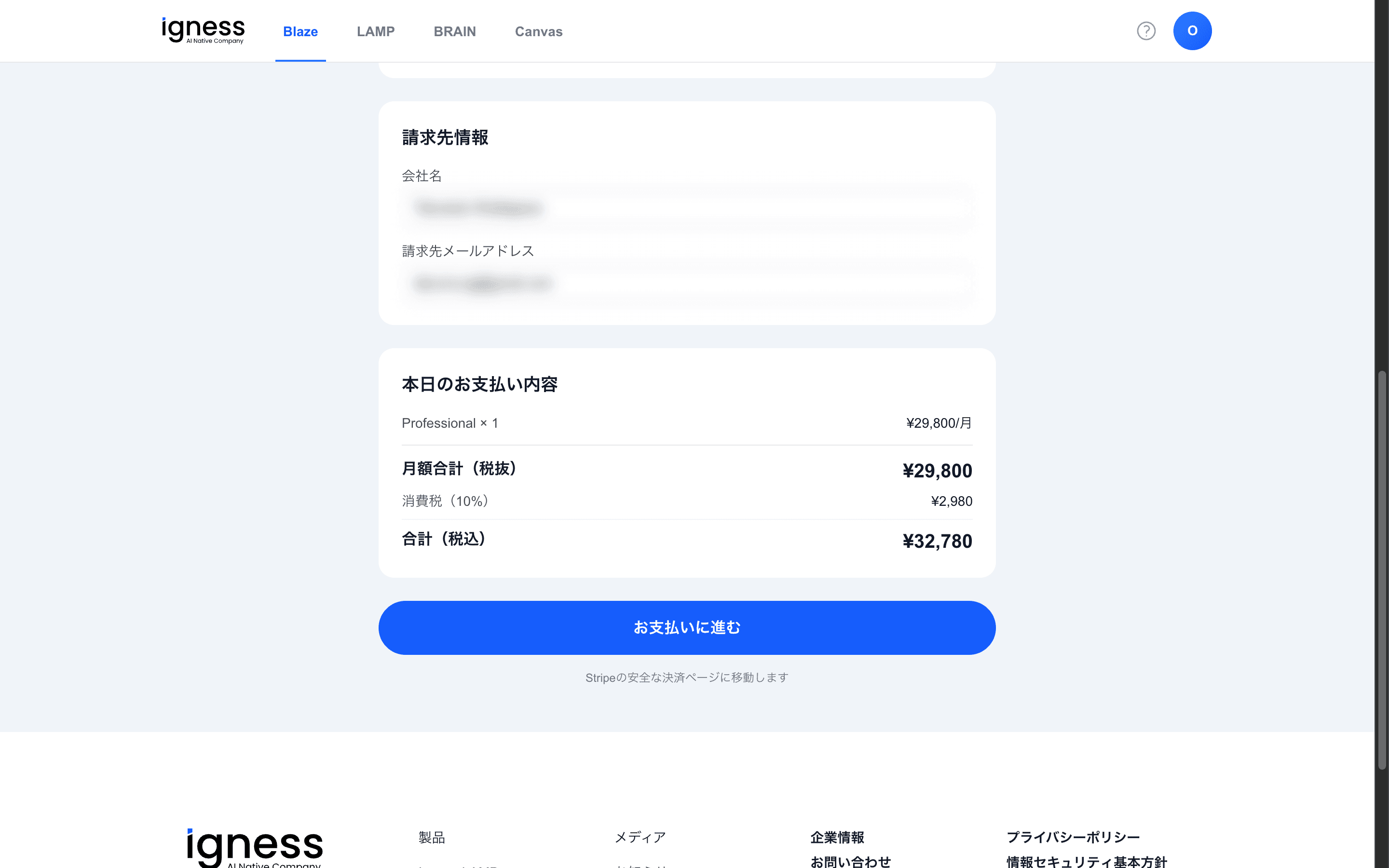
Enter your billing information (company name and billing email address).
-
Review “Today’s payment” (monthly total (excl. tax) / consumption tax (10%) / total (incl. tax)).
-
Click “Proceed to payment” to continue to the Stripe checkout page.
To pay by bank transfer, see Pay by bank transfer.