Archive
1. What is it?
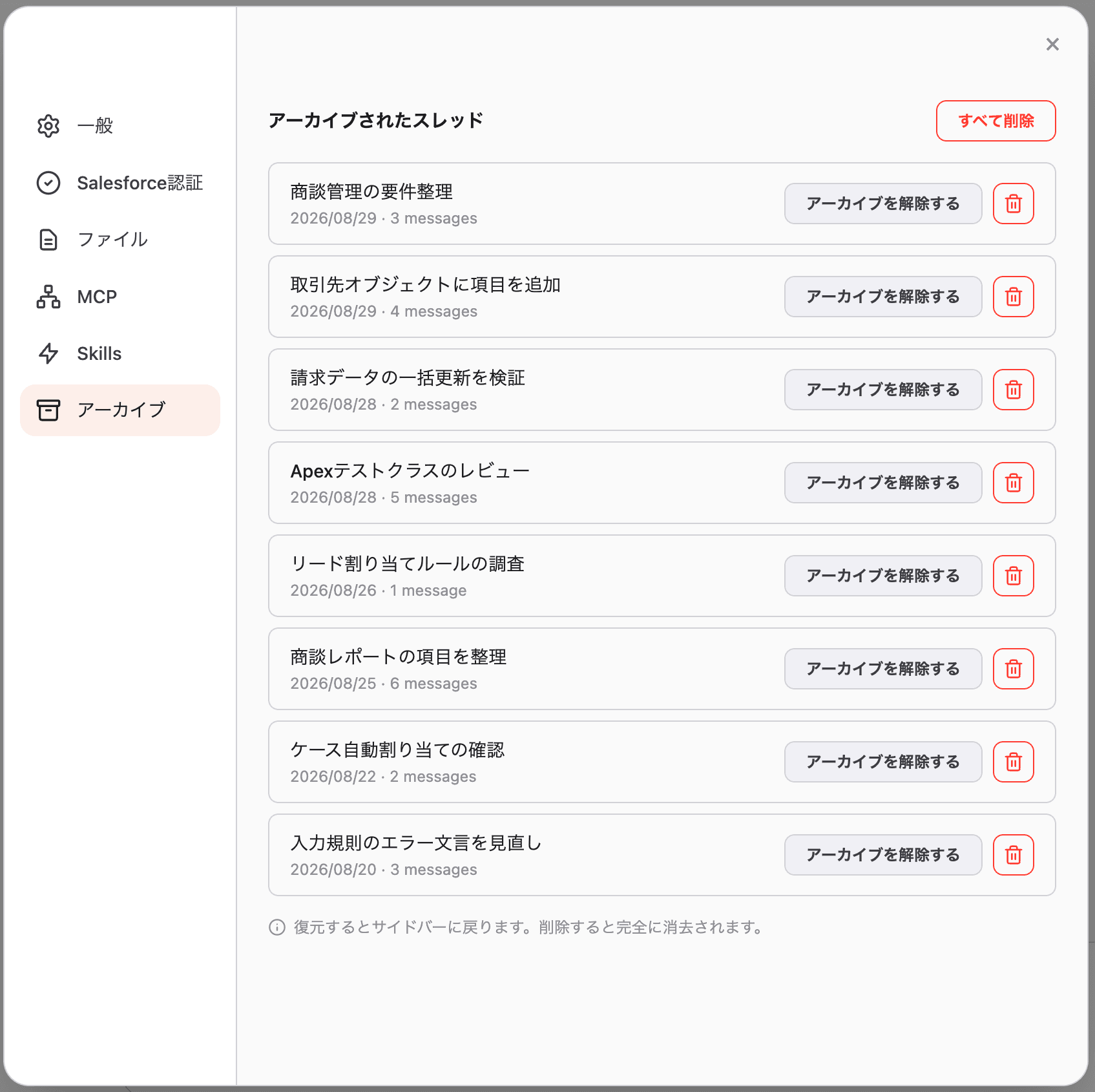
This is where threads (conversations) you archived from the sidebar are kept. An archived thread disappears from the sidebar, but its content is still there. From this tab you can either unarchive it or delete it permanently.
For how to archive a thread, see Archiving and deleting a thread.
2. Where to open
Profile (bottom-left) → Settings → Archive.
3. Reading the list
Each row shows:
| Item | Meaning |
|---|---|
| Thread title | The title of the archived thread |
| Date | The date the thread was created |
3 messages | How many messages the thread contains |
4. Unarchive
Click “Unarchive” and the thread returns to the sidebar, ready to continue where you left off.
5. Delete
- Trash icon: permanently deletes that single thread
- “Delete all” (top-right): permanently deletes every archived thread at once
Both show a confirmation dialog. Review it and click “Delete” to proceed.
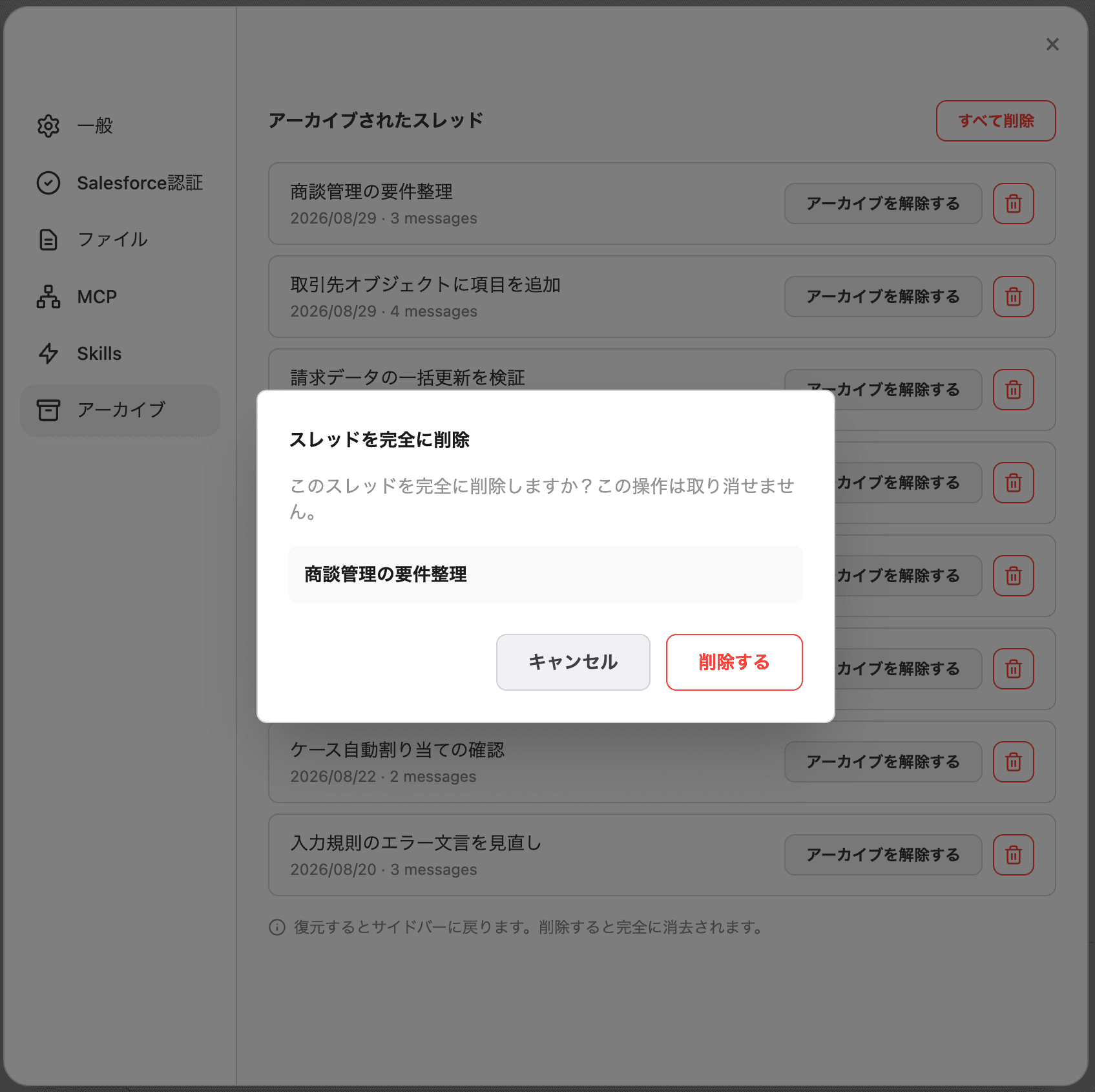
⚠️ Deletion cannot be undone. If you may need the content later, leave the thread archived.
6. FAQ
Q. What’s the difference between archiving and deleting?
Archiving only hides the thread from the sidebar — the content stays and can be restored from this tab. Deleting removes the content permanently, with no way back.
Q. Does deleting a thread also delete data in Salesforce?
No. Only the conversation history inside Blaze is deleted. Changes the conversation actually applied to Salesforce are not reverted by deleting the thread.
Q. An archived thread doesn’t appear in the list
The list shows the 100 most recent archived threads. Older threads may not be shown.